


Studio 3T 2026.9.0 introduces a more powerful AI Helper and local MCP server for MongoDB
You’re investigating a customer-reported issue and realise the order looks wrong in the dashboard. To get to the answer, you open Studio 3T, find the right connection, navigate to the correct database, search for the orders collection, write a query, cross-check another collection, then check indexes to understand what might be slowing things down.
Only then can you start solving the actual problem.
For developers, database administrators, and data teams, this scenario will sound familiar. Even a straightforward investigation wastes valuable time before you reach anything useful. Repeat that ten times during a heavy debugging session, and you can easily lose the better part of an hour to navigation, not analysis.
Studio 3T 2026.9.0 is built to help you skip straight to the answer and is available now for Ultimate edition users.
This release introduces two connected AI capabilities: a significantly more powerful in-app AI Helper, and Studio 3T as a local model context protocol (MCP) server. Together, they make it easier to inspect, understand and query MongoDB data using plain English, whether you’re working inside Studio 3T or from an AI client you already use.
“We started from a simple question: what if our users could just ask their MongoDB a question in their own words and get a real answer back? 2026.9.0 is the first answer to that.”
Idan Mouallem, Head of Product, 3T Software Labs
What’s new in Studio 3T 2026.9.0
Studio 3T 2026.9.0 introduces two new AI workflows for MongoDB.
A more powerful AI Helper inside Studio 3T
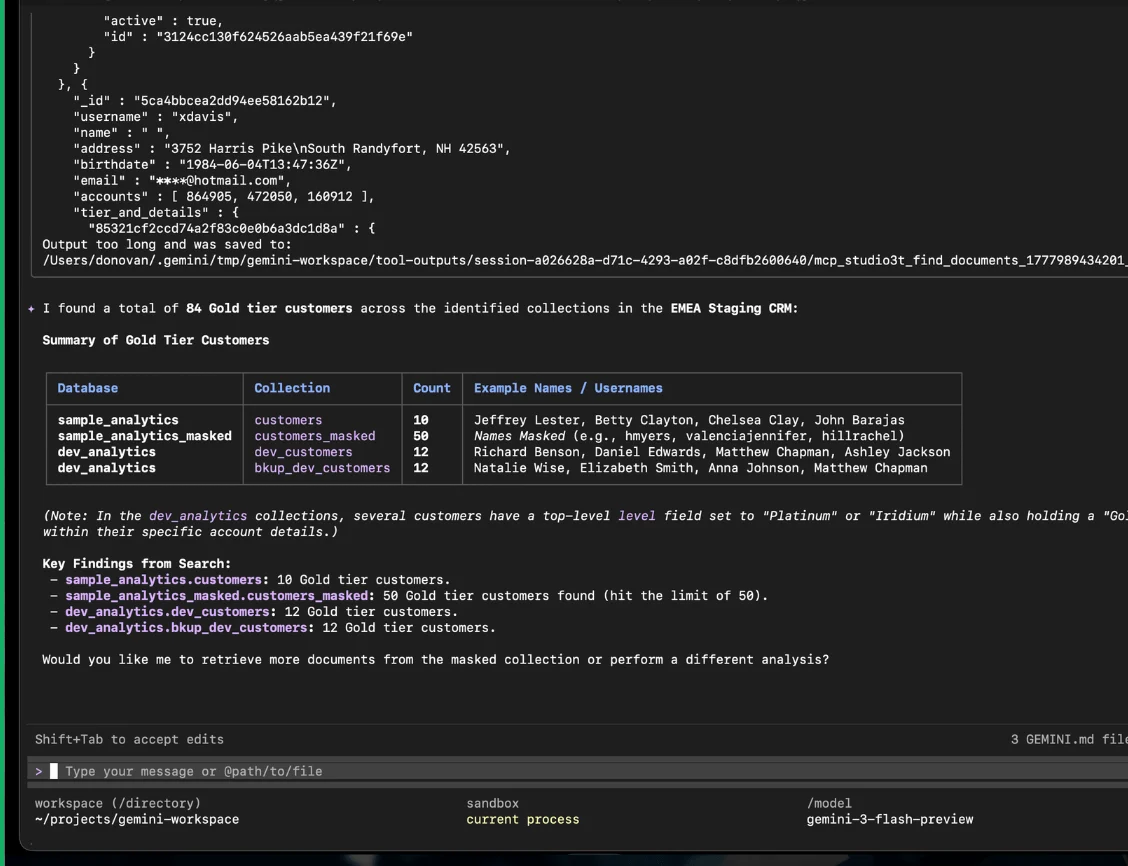
The AI Helper now gives Studio 3T Ultimate users a faster way to investigate MongoDB data directly inside Studio 3T. Instead of manually navigating through collections, writing multiple queries, and checking indexes by hand, you can simply ask a question such as: “Pull the last 20 orders for customer X on staging, cross-check the user record and tell me whether orders.customerId is indexed.”
Studio 3T uses a set of read-only AI tools to inspect your live MongoDB environment, run the necessary queries, and return answers in seconds. This reduces context switching, removes repetitive navigation, and helps you get to useful information much faster.
Studio 3T as a local MCP server
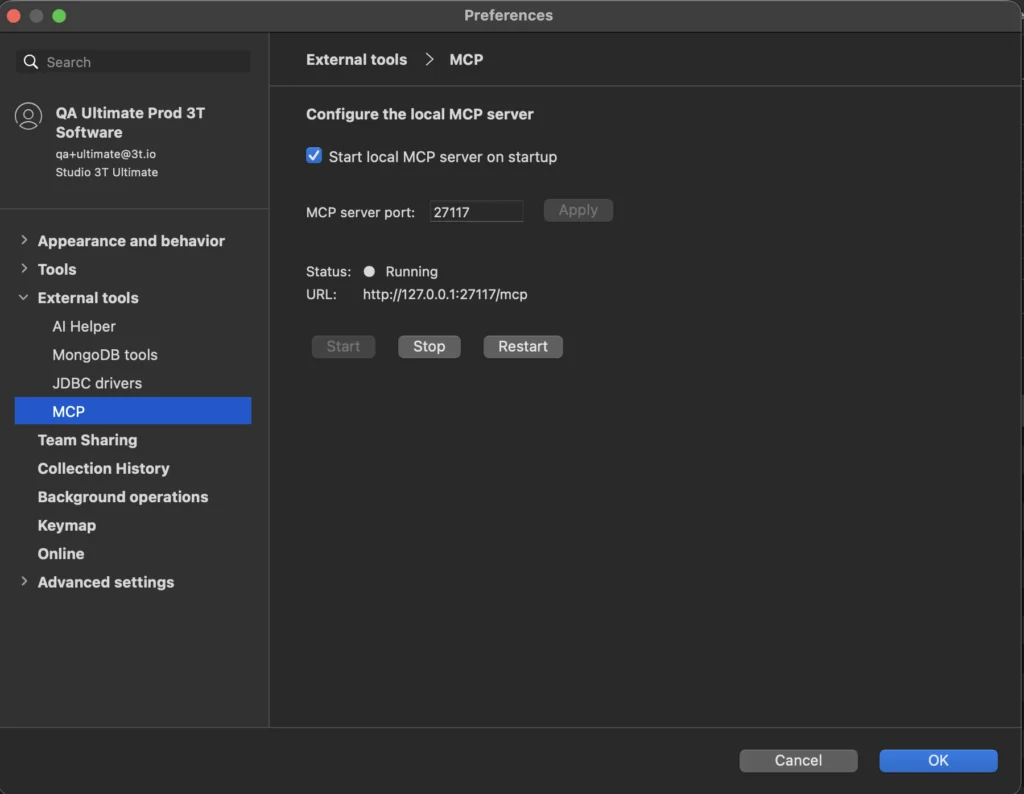
Studio 3T now also works as a local MCP server. This means you can connect Studio 3T to any MCP-compliant AI tool, allowing you to access your MongoDB environment from the AI workflow you already use.
After enabling the MCP server in Preferences, you can connect Studio 3T to your AI tool and immediately access your existing Studio 3T connections. There’s no need to rebuild your environment or manually enter connection strings and credentials. If you’ve already configured authentication, SSL or SSH tunnels in Studio 3T, they carry over automatically.
Because the MCP server runs locally, the connection between your database and AI client stays on your machine. For teams working in restricted environments where outbound connections are limited or tightly controlled, that matters.
For developers investigating live issues
When you’re debugging or investigating unfamiliar data, speed matters. Previously, a developer might spend several minutes opening the right connection, locating the correct collection, writing queries, and checking indexes before they could begin analysing the issue itself.
With the AI Helper, that same workflow becomes much simpler. Ask a single question, then let Studio 3T inspect the relevant data and return the information you need.
For teams who just need answers
Not everyone working with MongoDB data writes queries for a living. Product managers, operations teams, and analysts often need answers from the database, but may rely on engineering teams to retrieve them.
A question like: “How many users signed up last week?” can now be asked directly through the AI Helper.
Studio 3T selects the appropriate collection, runs the query, and returns the answer in plain English. This makes your MongoDB data more accessible to whoever needs it, while keeping the workflow safe.
Built to be safe by design
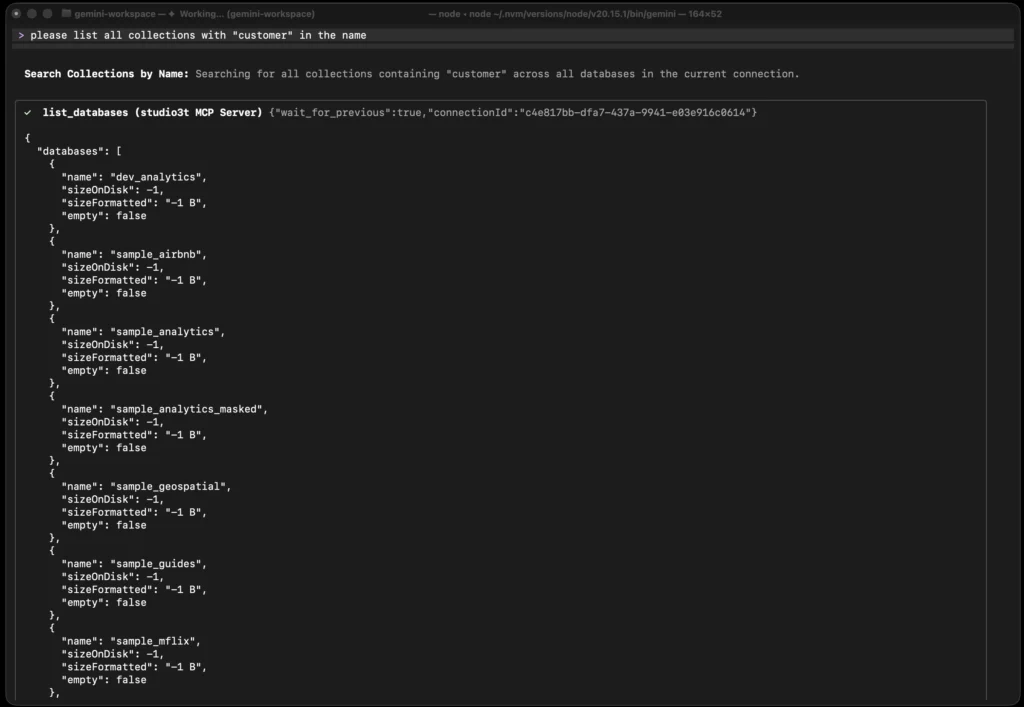
Both the in-app AI Helper and Studio 3T’s MCP server use the same set of 10 read-only AI tools. These gives technical and non-technical users a safer way to work with live MongoDB environments.
These tools can help you:
- inspect databases and collections
- run find queries
- explain queries
- review schema and indexes
- assess collection health
They cannot:
- edit data
- insert documents
- #delete records
- modify database state
The ten tools are: list_connections, connect, list_databases, list_collections, query, explain_query, analyze_schema, list_indexes, get_collection_statistics, and assess_collection_health.
“We deliberately made every tool read-only. That means users can explore freely, knowing nothing is going to get deleted or changed.”
Hugo Almeida, Engineering Manager, 3T Software Labs
Available now in Studio 3T Ultimate
Studio 3T 2026.9.0 is available now for Ultimate users on Windows, macOS and Linux.
Professional users continue to have access to the AI query generator, while Ultimate includes the full AI experience.
| Feature | Ultimate | Professional |
| AI Helper with 10 read-only investigation tools | ✓ | — |
| Local MCP server | ✓ | — |
| AI query generator | ✓ | ✓ |
Ready to try it?
Current Studio 3T Ultimate users can simply update Studio 3T today.
Current non-Ultimate edition users upgrade to Studio 3T Ultimate to get the full AI Helper experience.
Or, if you’re new to Studio 3T, you can start your free Ultimate trial.
There are no pricing changes or new entitlements as part of this release.


