
Exploring our new MongoDB AI Assistant: The Global AI Helper
Studio 3T’s new MongoDB AI assistant brings schema analysis, query generation, and diagnostics into one persistent sidebar chat. Here’s how the Global AI Helper works.


Studio 3T’s new MongoDB AI assistant brings schema analysis, query generation, and diagnostics into one persistent sidebar chat. Here’s how the Global AI Helper works.
AI Helper is Studio 3T’s AI-powered assistant that quickly gets you started with writing MongoDB queries, aggregations, or scripts.
Learn how to boost MongoDB performance with Studio 3T’s Performance Suite and find slow running queries and optimize indexes

MongoDB’s Time Series collections are a way of more efficiently indexing and storing the data which makes up a time series, without the overhead of each data point containing multiple repetitions of the same fields. There are three components to a time series record. Firstly, it includes the acquisition time for the data. Then identification […]
TL;DR: Mongosh is the bundled, default shell for Studio 3T. If you haven’t set your preferred MongoDB Shell in Studio 3T or use only Studio 3T bundled Mongo shells, your Studio 3T automatically updates to the new default MongoDB Shell. If you previously set your preferred MongoDB Shell to anything that was not a Mongo […]
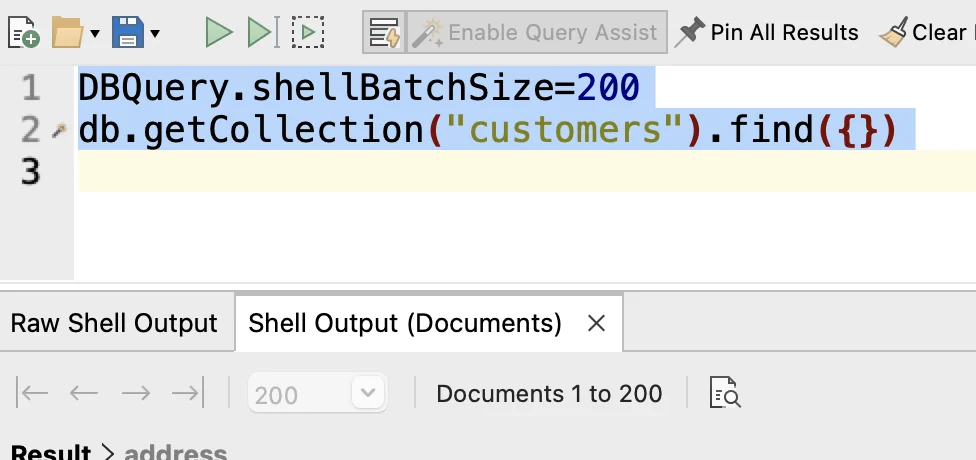
How to see more results when Query Assist is off in Studio 3T’s IntelliShell.
IntelliShell Script Tasks allow scripts to be loaded from disk and run on a schedule with their output saved to disk. An IntelliShell Script Task is made up of multiple IntelliShell Script units. When the Task is run, each unit will be executed sequentially. An IntelliShell Script Unit is made up of two components: The […]
A guide for Linux users wanting to install Studio 3T.
A guide on how to install Studio 3T on macOS.
A guide on how to install Studio 3T on Windows.

