


Query Code is Studio 3T’s code generation tool that automatically converts queries to MongoDB syntax, JavaScript, Java, C#, Python, PHP, and Ruby.
With a single-click, you can translate queries or aggregations into code you can use in your applications.
You can also ease the transition from SQL to MongoDB and instantly generate the equivalent MongoDB syntax for your SQL queries.
Basics
Query Code automatically translates queries to the following languages:
- JavaScript (Node.js)
- Java (2.x, 3.x, 4.x driver API)
- C#
- Python
- PHP
- Ruby
Simply click Query Code to view the generated code in the following areas of the application:
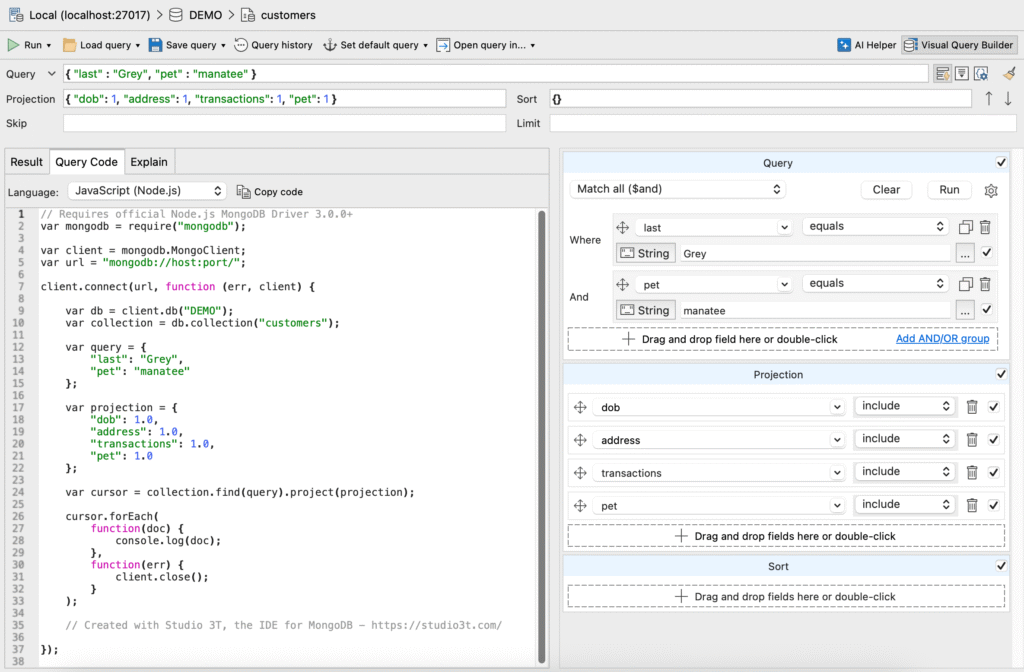
- Collection Tab – Drag and drop fields to build queries with the integrated Visual Query Builder. No need to understand JSON, simply run queries and Studio 3T shows you the results together with the MongoDB query code.
- Aggregation Editor – Studio 3T’s aggregation pipeline builder. Build MongoDB aggregations in stages and view the flow of data into and out of each stage. Convert the entire pipeline directly into Javascript, Python, and more.
- SQL Query – Query MongoDB with SQL statements and joins, and see how they translate to the MongoDB Shell language.
- IntelliShell – Studio 3T’s built-in MongoDB Shell. Write queries fast and reduce errors with auto-completion and real-time error highlighting.
The image below shows the generated JavaScript code for a simple MongoDB query that’s been built with the Visual Query Builder:
Convert SQL to MongoDB query code
Watch the video below to learn how you can write a simple SQL SELECT statement and convert it to a MongoDB query:
Open MongoDB Shell code directly in IntelliShell
You can continue developing the MongoDB Shell code in IntelliShell. IntelliShell allows you to write queries faster with auto-completion on field names, collection names, shell methods, JavaScript standard library functions, and more.
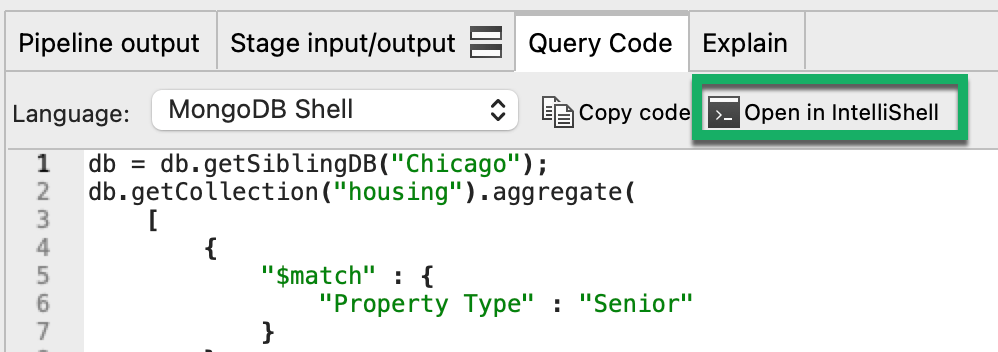
In SQL Query and the Aggregation Editor, with MongoDB Shell selected as the target language, click on Open in IntelliShell.
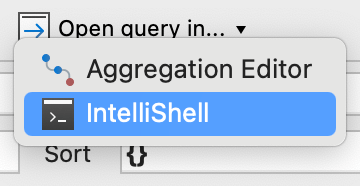
In the Collection Tab, click on Open Query in and select IntelliShell from the list:
This article was originally published by Kathryn Vargas and has since been updated.


